

Website beveiligen: basismaatregelen die echt werken
More security tools will not automatically make your site safer. Five boring basic measures do most of the work. When extra protection is worth it, you can read about it here.
 Team Netslim 24 Nov 2026 7 min read
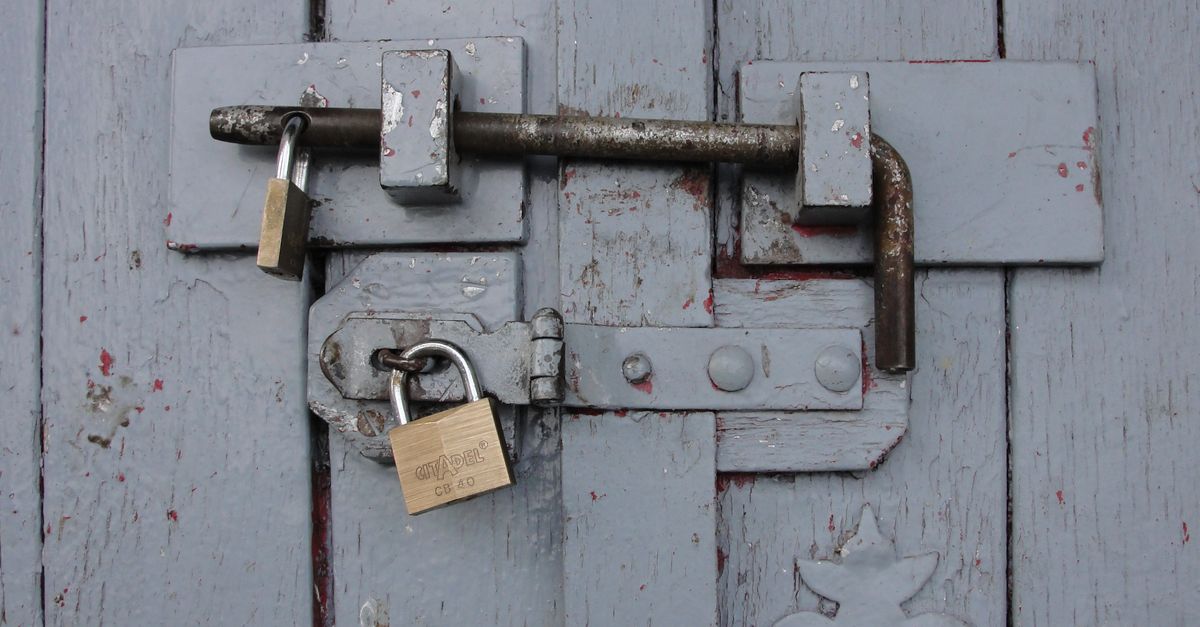
A familiar picture for small businesses: a firewall plugin runs, a malware scanner, a separate VPN subscription, and a "security package" that mainly has a nice dashboard. Meanwhile the WordPress site has been on an old version for months, four people have the administrator password, and the last backup is from last spring. This is often what website security looks like in practice: many tools, little basics.
My view is simple. Five boring measures prevent most of the trouble a small site can run into. Extra products can make sense, but only once those five are in order. You do not need to be a security specialist for that, and you do not need a large budget.
Below I go through them, with how much time they take. After that we look honestly at when you do need more, and what we sell ourselves and when you can skip it.
Why more tools are not automatically safer
The misconception is the idea that security is a sum. Add every product, add another lock. But most attacks on small websites are not skilled work by a hacker who chose your business. They are automated scripts that scan the internet for known weaknesses: a plugin with a published vulnerability, a password that is already on a list, an administrator account that was never cleaned up.
An extra tool does not solve that. In fact, every plugin or service you add is also software that needs updating and can have a flaw. A security plugin that has not been updated for a year does not make your site safer. It is just one more component that can fail.
Wat wel werkt, is zorgen dat die geautomatiseerde pogingen niets vinden. Dat doe je met de basis.
De vijf basismaatregelen om je website te beveiligen
De volgorde doet er iets toe. Begin bovenaan.
1. Updates: alles actueel houden
This is the most boring and the most important. For WordPress it comes down to three things: the WordPress core, your plugins, and your theme. With other systems the story is the same, with different names. A known vulnerability in a plugin is an open door for an attacker, and it stays open until you update.
- Turn on automatic updates where possible, especially for minor updates.
- Remove plugins and themes you do not use. Deactivated is not the same as removed.
- Replace plugins that are no longer maintained by their developer.
Time: fifteen minutes per month if you do it manually, almost nothing if it runs automatically.
2. Back-ups: je vangnet buiten de server
A backup prevents nothing, but it turns a disaster into a minor annoyance. It comes down to two questions: how often, and where is it stored? A backup on the same server as your site is gone the moment that server has a problem. And a backup you have never restored is an assumption. Do a test restore once, so you know it works. How often and where to store them is explained in our article on making a backup of your website.
Time: one hour to set it up properly once and test it.
3. Sterke inlog: wachtwoord plus tweede stap
Stolen or guessed passwords are one of the most common ways websites and mailboxes get taken over. The advice is dull but it works: a unique password for each account, stored in a password manager, plus two-step verification on everything that matters. That covers the login for your website, your hosting, your domain name and your email. How to set this up for WordPress and email is described in setting up two-step verification for WordPress and email.
Also do not use a username like "admin". It is the first thing a script tries.
Time: half an hour for all your important accounts.
4. Correct permissions: not everyone needs to be an administrator
This often goes wrong without anyone noticing. The web agency from three years ago still has an administrator account. The intern who posts texts is an administrator because that was easiest. An old FTP account is still open. Each of those accounts is an extra route in, and if one is hijacked, the attacker immediately has all the rights.
- Give people the lowest role that still lets them do their work. An editor does not need to install plugins.
- Remove accounts for people and companies that no longer work with you.
- Gebruik aparte accounts per persoon, nooit één gedeeld account.
Time: half an hour for a clean-up round, then fifteen minutes whenever someone joins or leaves.
5. Protection at the edge: filter before it reaches your site
This is the only one of the five that you cannot fix yourself with a password or a checkbox. Protection at the edge means that traffic first passes through a layer that removes harmful visitors before they reach your server. Think of overload from a DDoS attack, bots that make endless login attempts, and traffic that behaves like an attacker. Do you want to know what a DDoS attack does to a site and how you stop it? That is covered on our page about anti-DDoS.
A valid SSL certificate belongs here too. It encrypts the traffic between visitor and site. With a good host, this is standard and free.
What this costs you in a week
All five together cost you half a day the first time and then a few quarters of an hour per month. That is less than most people think. It is dull work, not difficult work. The reason it often does not happen is that it never feels urgent, until it is.
Not sure where you stand? Run the free website check. It looks at SSL, security headers, email settings and speed, and shows you what is missing. It does not replace a thorough review, but it is a good starting point, and it takes you a minute.
Wanneer extra bescherming wél zinvol is
I'm not saying that the basics are always enough. There are situations where more is needed.
- You process customer data or payments. A webshop or a site with login accounts is a more attractive target than a brochure site. In that case it pays to go beyond the basics.
- Your site is custom built. Custom code has its own flaws, and no update fixes those. A penetration test shows where they are.
- You regularly receive bot or attack traffic. Then you want more than standard filtering, and a more finely tuned layer at the edge.
- Your team receives a lot of email with links and attachments. The weakest point is then not the website but the people. A phishing simulation or training helps, and that is something different from yet another plugin.
- A customer or insurer requires it. Then a demonstrable approach with monitoring and reporting is sometimes simply a condition.
What these have in common: they are targeted answers to a concrete risk. Not a package added "just in case". If you are in one of these situations and don't know where to start, our page on cybersecurity for small businesses is a logical first step.
What we sell, and when you don't need it
We sell security, so it is only fair to say when you don't need us for it.
On our hosting, three of the five basics are largely taken care of: automatic updates, daily backups, free SSL and standard DDoS protection. The servers are in ISO 27001 data centers in Germany. If your small business site or blog runs there, you probably don't need anything extra for the technology around it. The two things that remain with you are the login and the permissions. No host can do anything about those, however good it is. That stays your job.
Edge Shield, our layer for security and DDoS at the edge, is meant for sites with more traffic and more risk. Think of a webshop or a site that often gets bots or attacks. If you have a static site with a contact form, that layer is usually unnecessary. Penetration tests, monitoring and incident response are there for situations like those described above, not as a standard purchase.
And if things go wrong? Then it helps to know the first steps. Those are in what to do when your website has been hacked.
What you do this week
- Run the free website check and keep the result.
- Update your site, plugins and themes, and remove what you don't use. Turn on automatic updates.
- Check where your backups are stored and restore one to a test environment.
- Turn on two-step verification for your website, hosting, domain name and email.
- Go through all users and FTP accounts and remove what is no longer needed.
- Check whether your host provides DDoS protection and filtering at the edge. If not, you know what is still missing.
Only once this is in place does it make sense to look at extra protection. If you are unsure whether you are at the right level, we are happy to look at it with you. We will also honestly tell you if you don't need anything extra.
Frequently asked questions
What are the most important basic measures to secure a website?
Keep everything up to date, make backups that are stored outside your server, use unique passwords with two-step verification, and only give users the permissions they need. In addition, make sure your host filters traffic before it reaches your site. With those five you cover most of the risks.
Is a security plugin enough to secure my WordPress site?
No, a plugin is an addition and not a replacement for the basics. If your site, plugins and passwords are not in order, a plugin only partly catches that. A plugin that is itself outdated can also become an extra weak point.
How often should I have a backup of my website made?
That depends on how often things change. A site that hardly ever changes gets by with one backup a day. A webshop with orders you want to back up more often. In any case, test at least once that you can actually restore a backup.
When is a penetration test for my website worthwhile?
A penetration test is worthwhile if your site is custom built, if you process payments or personal data, or if a customer or insurer asks for it. For a simple business site on WordPress with up-to-date updates, it is usually too much of a good thing.
Is free SSL enough to make my website secure?
SSL encrypts the traffic between visitor and site, and that is necessary. It says nothing about whether your site itself is vulnerable. A site with an old plugin and a weak password can perfectly well have a padlock in the address bar and still be hacked.
Read also
All blogs →
Cost of a hacked website: a worked example from practice
A webshop with an outdated plugin gets hacked. What does that really cost? A worked example with a model you fill in with your own figures, and what prevention would have cost.

Microsoft Entra Connect Health vulnerability: what to do now
Microsoft confirmed a vulnerability in Entra Connect Health: technical data and administrator email addresses could be viewed. These are the three checks for your Microsoft 365.

AI finds leaks in minutes: this is how you stay ahead of hackers
AI finds leaks in websites in hours or minutes, and AI chatbots cause data leaks themselves. What is changing and seven measures you can take now.
