
Skip to content
Log in Start now
Netslim
Log in Create account

Newsletters from Netslim

Create and send newsletters with AI in Mail Lava

Professional newsletters in your own brand style or your client's, without them sounding like AI. Say what it is about, adjust the design together with the AI and schedule it. Sending goes through your own Mailchimp, so unsubscribing and the rules around consent are taken care of.

Try it yourself

Your name, your colour, a newsletter right away

This is a real newsletter from Mail Lava, the same HTML that goes to Mailchimp. Enter your company name, choose a colour and a style, and view it on a computer or a phone.

Style

View on

In your account you add your own logo, photos and text, or let the AI write it. Your logo is at the top, the unsubscribe link and your address at the bottom.

Create your own newsletter
Professional design

Looks like your brand.
Not like AI.

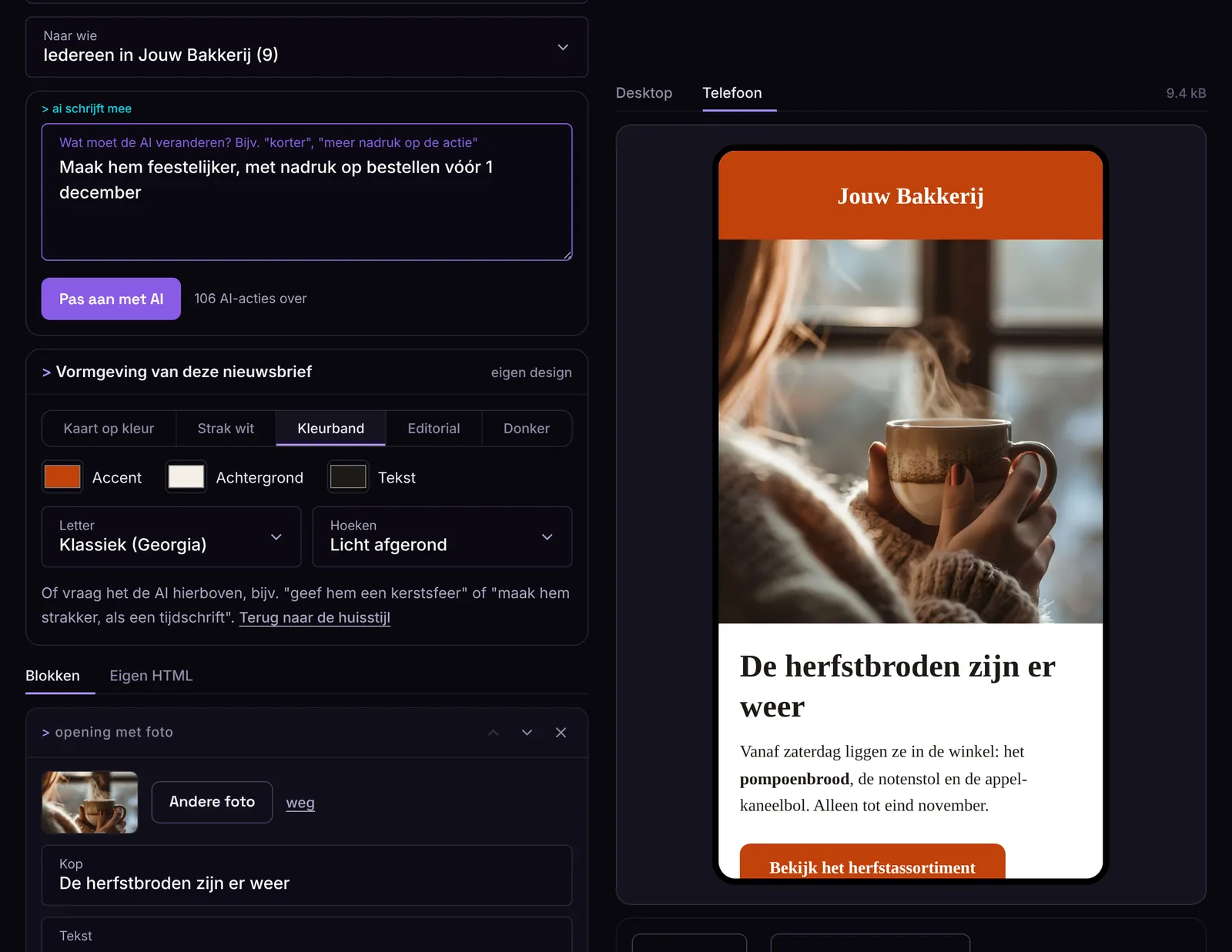
Mail Lava works with real designs for newsletters, made the way a designer would make them: calm, easy to read, with your logo, colors and font. The AI helps with the text and the edits, but the design stays yours.

> kaart op kleur
> kleurband
> editorial
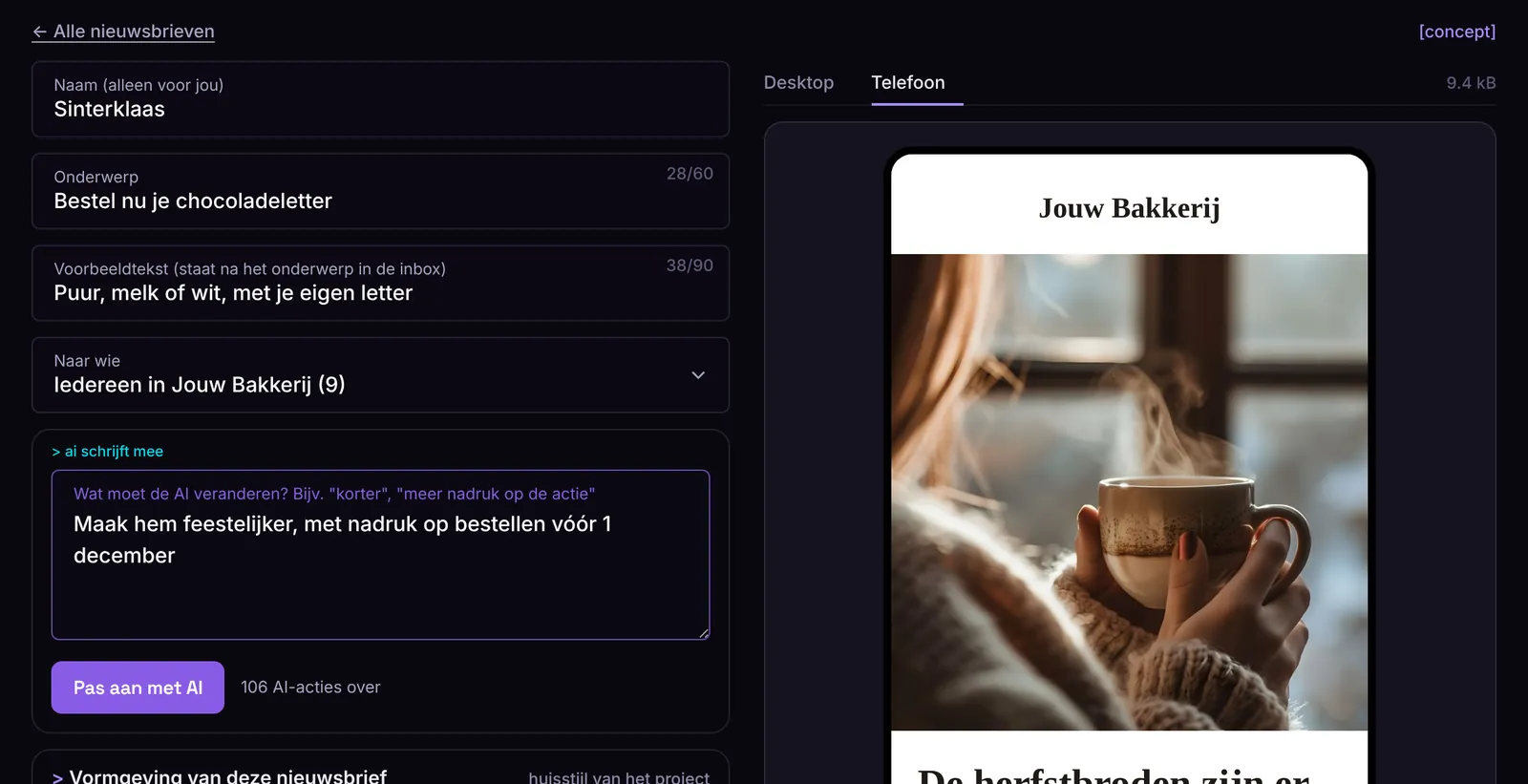
Adjust it together with the AI

Say what you want: "cleaner, like a magazine", "in the colors of our new shop" or "give it a Christmas feel". The AI adjusts colors, style and font, and you see it right away.

Your client's brand style

Each project gets its own logo, colors and font. If you work for clients, every newsletter looks like theirs, not like yours.

A different design for every email

Always the same brand style, or something different for each newsletter: a color band for the sale, editorial for your story of the month. One click back to the brand style.

You have the final say

You can edit every heading, every sentence and every color yourself. Already have your own template? Then paste your own HTML.

How it works

From a few words
to the inbox

Everything happens in your account at Netslim. You don't need to know HTML or click around in Mailchimp.

Connect your Mailchimp

Log in to Mailchimp or paste your API key, and choose which list you want to email. No Mailchimp? Then we send through ours, with a separate list for you.

Let the AI make it

Write what needs to go in: your offer, a date, a link. The AI turns it into a newsletter in your logo, colors and tone, with a subject line and two alternatives. Then you say "shorter" or "more emphasis on the call to action" and it adjusts the newsletter.

Test and schedule it

Preview it on a computer and a phone, send yourself a test email, and send it now or at a time you choose. After that, you see how many people opened it and clicked.

This is what it looks like

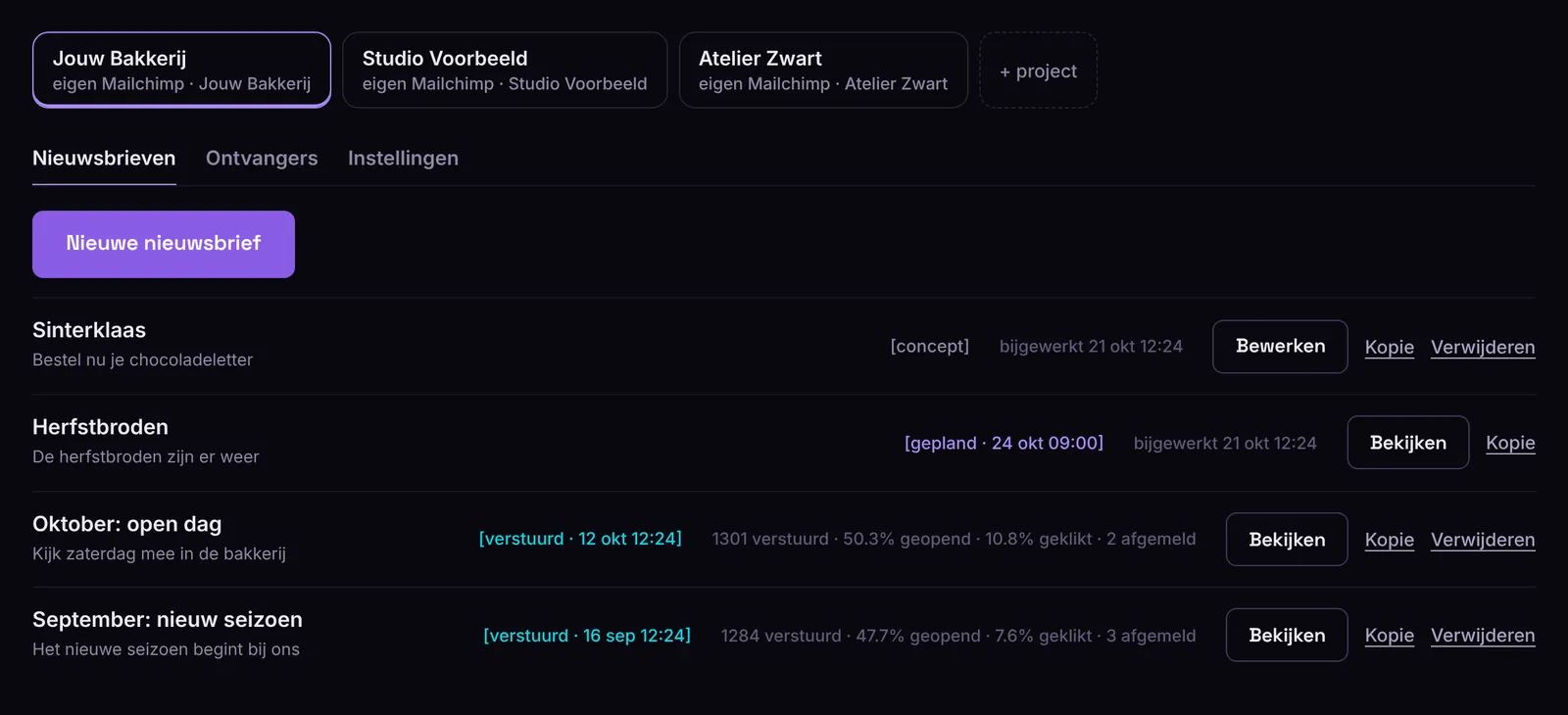
Everything in your account, on one screen

No separate tools, no copying to Mailchimp. This is Mail Lava as you see it in your account at Netslim.

Screenshot of Mail Lava: Projects and newsletters
Connected to Mailchimp

You work in Mail Lava,
Mailchimp sends

Mailchimp is one of the largest newsletter senders in the world. Mail Lava talks to it directly, so you almost never need to go there yourself.

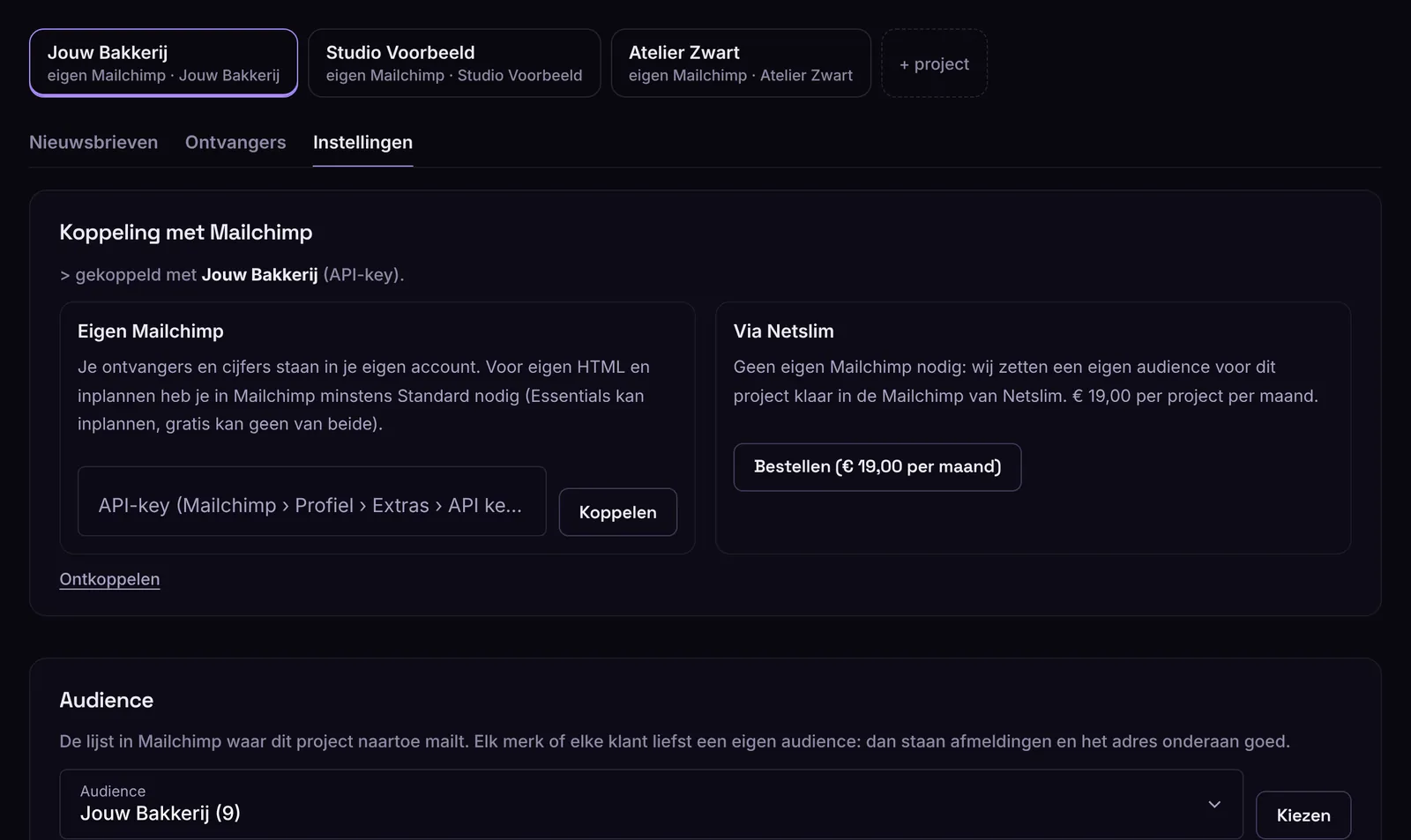
  • Connect by logging in to Mailchimp, or with an API key
  • A separate account or list per project: handy if you work for multiple clients
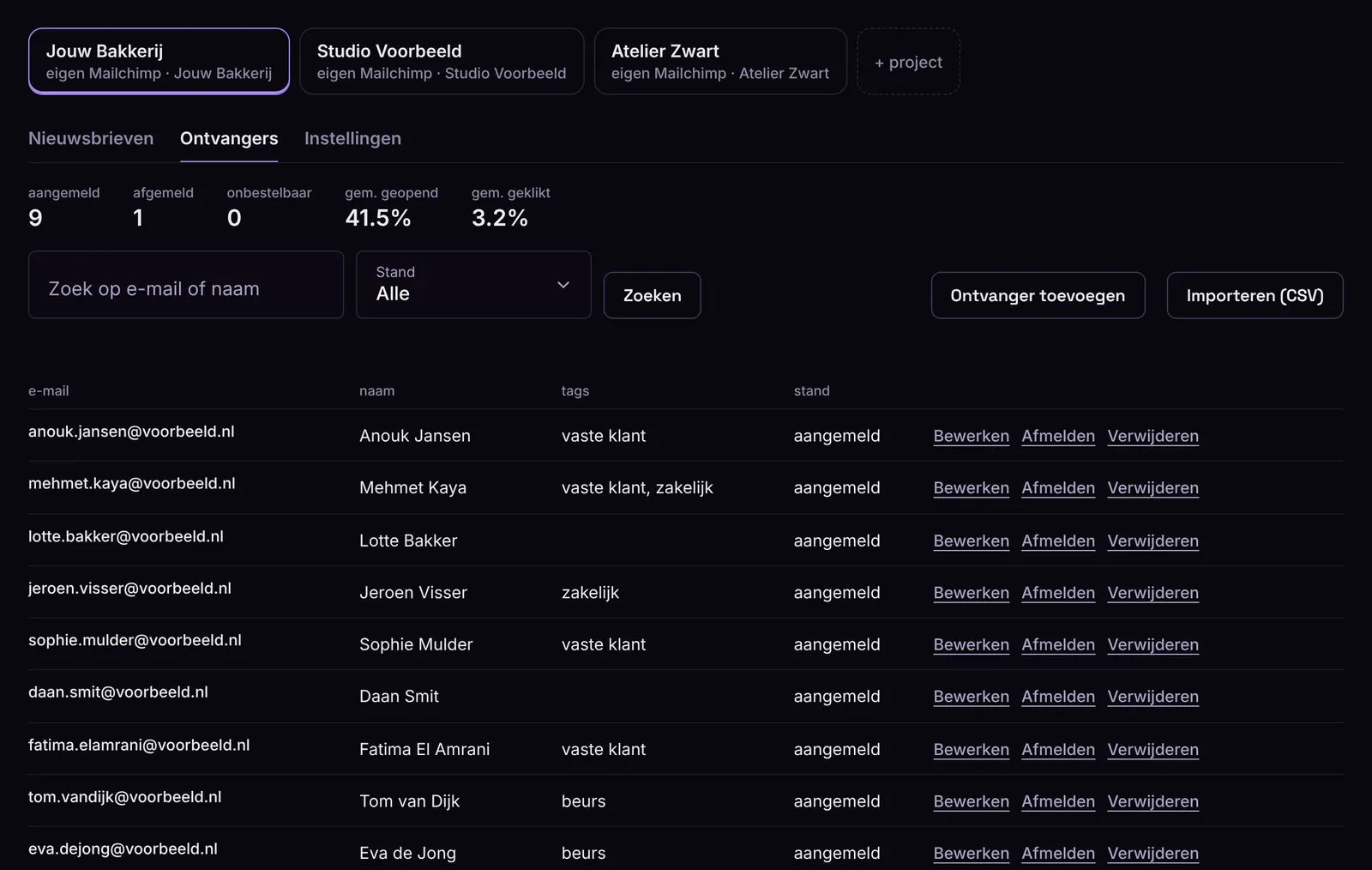
  • Recipients, tags and unsubscribes come straight from Mailchimp, so never duplicated or outdated
  • Test emails and sending go through Mailchimp itself: what you test is what your customers get
  • No Mailchimp? Send through the Netslim one, with a list of your own
> netslim.nlMail Lavaprojects · design · AI · testing · scheduling
> your accountMailchimplist · send · unsubscribe · consent
Screenshot: connecting a project to Mailchimp
What's included

Everything for a newsletter, in one place

> ai that writes and designs

In your own brand style and tone. It doesn't make up prices, dates or links. If something is missing, it tells you.

> works in every mailbox

Gmail, Outlook, Apple Mail and on your phone. Under the hood: tables and fixed fonts, the way email wants it.

> your own html works too

Already have a template? Paste it in. We only add an unsubscribe link and your address if they are missing.

> photos that stay light

Upload your photo as it comes off your phone. We make it small enough for an email, without you noticing.

> test and schedule

A test email to yourself or your colleagues, and sending at the moment your readers are awake.

> recipients in one place

Add them, import a list from Excel or your till, use tags for groups, and see who unsubscribed.

> unsubscribing is taken care of

Anyone who unsubscribes never gets anything again. Even if you import the same list again later.

> multiple brands or clients

Each project gets its own brand style, its own recipients and its own Mailchimp. Handy for agencies.

Who it's for

For those who want to send email,
without losing a day to it

  • Shops and web shops with promotions, new products and opening hours
  • Service providers who want to keep their customers informed
  • Associations and foundations with a regular newsletter for members or donors
  • Agencies that create newsletters for multiple clients, each in their own style
Prices

Choose your plan

Per month, excl. VAT, cancel monthly. The AI is included, you don't need your own AI account. You can try it for free: create a project and build your first newsletter.

Start

One brand, a newsletter every week.

€ 49.00per month, excl. VAT

  • 4 newsletters per month
  • 1 project (brand or client)
  • AI that writes and designs in your brand style
  • Test emails, scheduling and statistics
  • Manage and import recipients
  • Your own Mailchimp, or send via Netslim (€ 19.00 per project)
Most popular

Pro

A few brands or locations, or more frequent emails.

€ 99.00per month, excl. VAT

  • 12 newsletters per month
  • 3 projects (brands or clients)
  • AI that writes and designs in your brand style
  • Test emails, scheduling and statistics
  • Manage and import recipients
  • Your own Mailchimp, or send via Netslim (€ 19.00 per project)

Agency

For agencies that create newsletters for clients.

€ 199.00per month, excl. VAT

  • 40 newsletters per month
  • 10 projects (brands or clients)
  • AI that writes and designs in your brand style
  • Test emails, scheduling and statistics
  • Manage and import recipients
  • Your own Mailchimp, or send via Netslim (€ 19.00 per project)

No Mailchimp? Send via Netslim

We set up a separate list for you in the Netslim Mailchimp. Your recipients, unsubscribes and statistics stay yours. € 19.00 per project per month, on top of your plan.

Prefer that we make it?

No time? We write, design and send your newsletter, with a manual check. From € 60.00 per newsletter.

Ask us
Frequently asked questions

Good to know

Do I need Mailchimp?

If you already use Mailchimp, you connect your own account and everything stays there. If you don't, we send through the Mailchimp of Netslim, with a separate list for you (€ 19.00 per project per month).

Which Mailchimp plan do I need?

With your own Mailchimp, it works best from the Standard plan: it lets you send and schedule your own HTML. On the free plan you can't schedule, and Mail Lava tells you so clearly. If you send through Netslim, we take care of that.

Can my recipients see that the newsletter was made with AI?

No, there is no mention of AI. Your newsletter has a professional design in your own branding, with your logo, colors and font, and you check the text yourself before you send it. The AI is a tool, just like a template is: you decide what goes in and how it looks.

Can each newsletter have its own design?

Yes. Each project has a brand style, and you can deviate from it per newsletter: a different style (card, color band, editorial, sleek or dark), different colors, font and corners. Or ask the AI, for example "give it a Christmas feel". One click takes you back to your brand style.

What exactly does the AI do?

You write in a few words what it should say. The AI makes the newsletter: heading, text, buttons, optionally two columns for products, a subject line and a preview text. It only uses your photos and links and doesn't make up prices or dates. If something is missing, it tells you. You always check it yourself.

What about GDPR and unsubscribing?

Every newsletter has an unsubscribe link and your address at the bottom, as the law requires. Anyone who unsubscribes gets nothing more, even if you import the same list again. If you add someone without provable consent, Mailchimp first sends an email to confirm it. Your recipients are in Mailchimp. We don't keep a copy.

Can I use my own HTML template?

Yes. Paste your HTML in and you see a preview right away. You can test and send it like any other newsletter. If the unsubscribe link or your address is missing, we add it at the bottom, never twice.

Does it work for multiple brands or clients?

Yes, that is what projects are for. Each project has its own brand style, its own recipients and its own Mailchimp connection. Pro has 3 projects, Bureau 10.

Can I try it first?

Yes. Create an account, start a project and build your first newsletter. You view it on a computer and a phone. Connecting, the AI and sending come in one plan, and you cancel it per month.

Can Netslim also make the newsletter for me?

Yes. We write, design and send it for you, from € 60.00 per newsletter. Get in touch and we will set up a meeting.