

Manage pages
Delete or move pages, and merge multiple PDFs into one file.
Edit and sign PDFs
Text, signature, checkmarks and date, right in your browser. Editing is free. You only pay when you download: per document or unlimited per month.
€ 1,00 per document, excl. VAT · € 1.21 incl. VAT
or choose a file on your computer or phone. Up to 30 MB.
Editing happens in your browser. Nothing is sent to us until you choose to download.
· Download € 1.21 incl. VAT per document, or unlimited per month
How it works
Drag it onto the page or choose it on your phone. It opens in your browser. Nothing is sent to us.
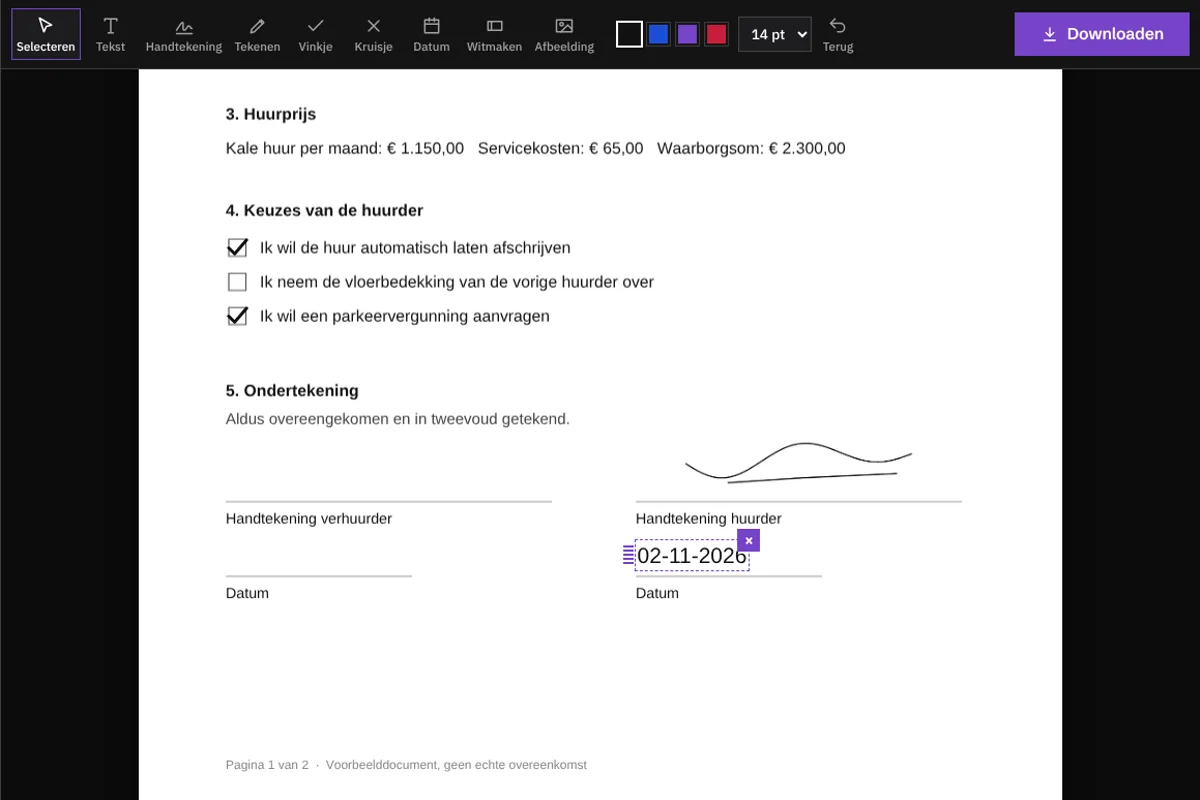
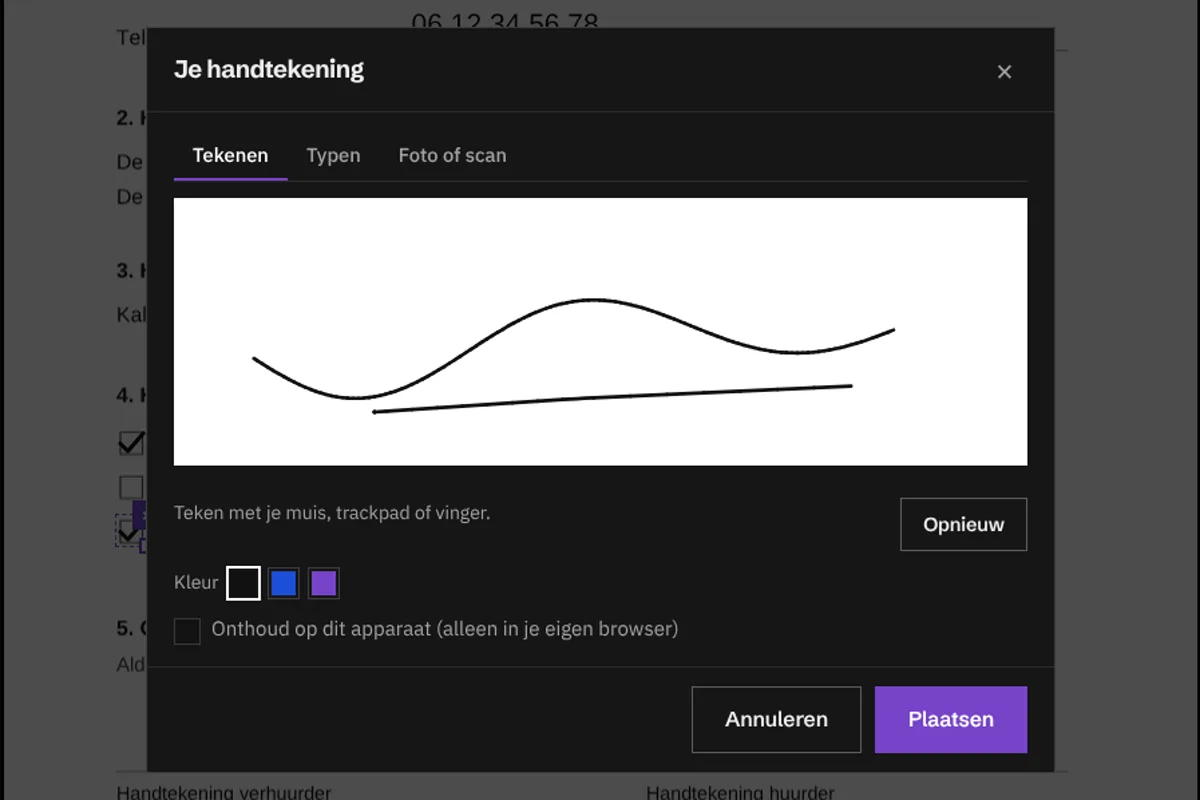
Type on the lines, tick boxes, add the date, and add your signature: drawn, typed or from a photo.
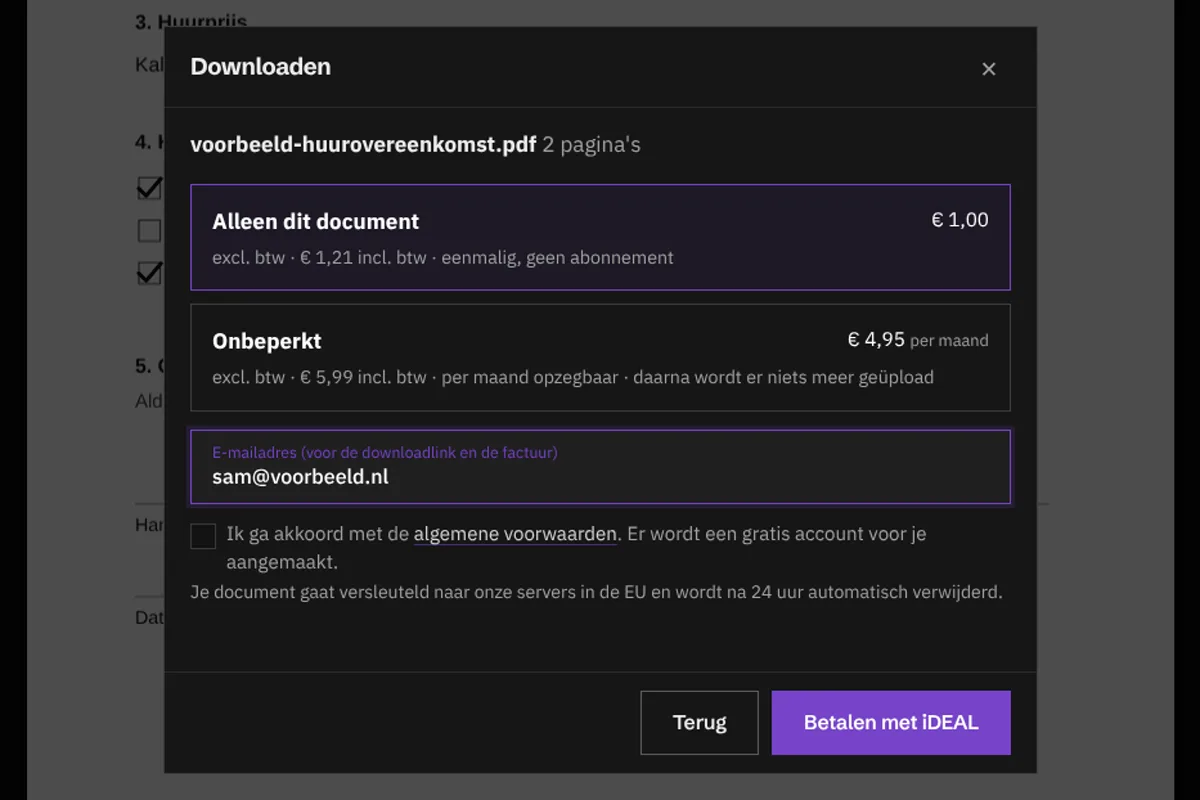
Pay with iDEAL and your PDF is ready. You also get the link in your email.
This is what it looks like
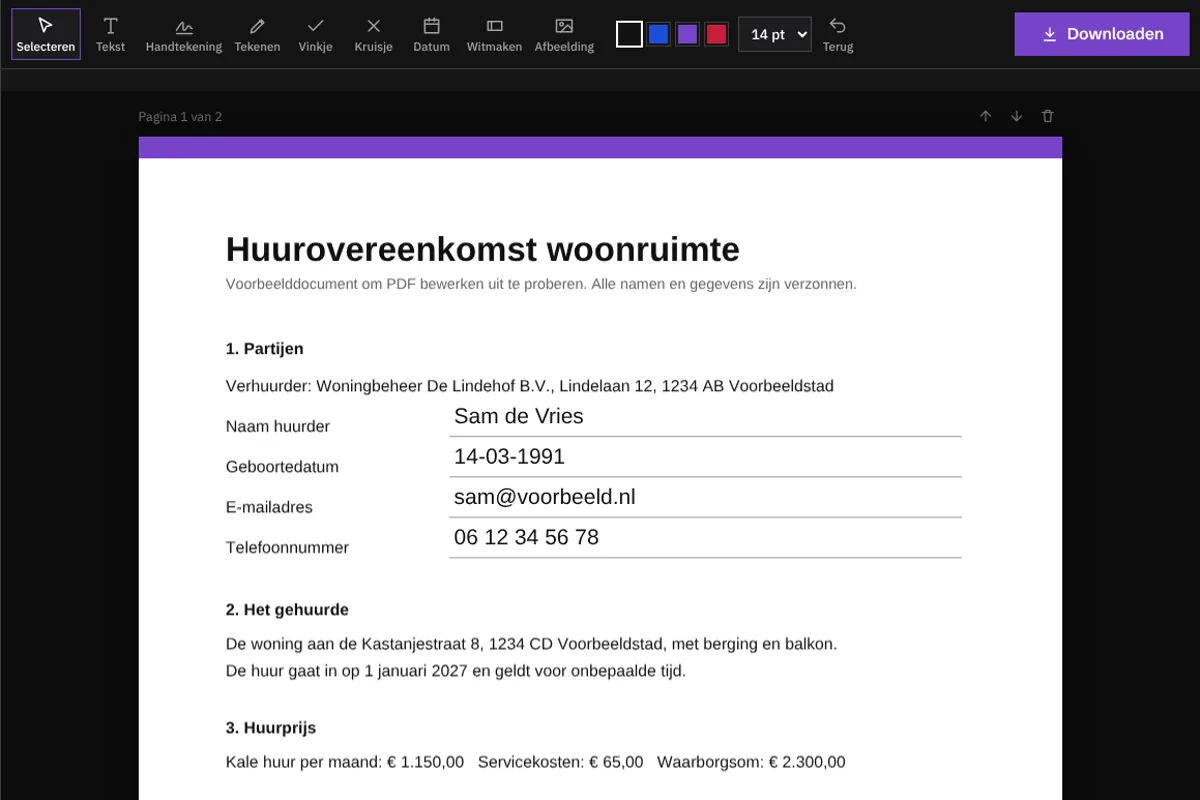
Screenshots of our editor, with a made-up example document.
Delete or move pages, and merge multiple PDFs into one file.
An old address or a mistake to remove? Cover it in white and type something else over it.
Typed text stays text in your PDF: sharp when printed, and you can search it.
Works in every modern browser, also on your phone. Sign with your finger.
Prices
You see the price before you start. No trial period that quietly turns into a subscription.
excl. VAT · € 1.21 incl. VAT
excl. VAT · € 5.99 incl. VAT · cancel monthly
Fair and secure
Your PDF is not sent to us for editing. Everything you type and draw stays on your own device.
If you pay per document, we only send the final file, encrypted, to our servers in Germany and Finland. After 24 hours it is deleted automatically.
With Unlimited, your browser creates the final file and saves it directly. It never passes through us.
A single download is a single download. You only get a subscription if you choose one yourself.
Yes. Opening, filling in, signing and arranging pages costs nothing. Only when you want to download the final file do you pay € 1.21 incl. VAT per document, or you choose unlimited.
In the EU, an electronic signature is legally valid (the eIDAS regulation). For most agreements, such as a rental contract, quote or form, that is enough. For some deeds, such as at a notary, a qualified signature is required. If you are unsure, ask whoever drew up the document.
Editing happens in your browser. If you pay per document, only the final file is sent, encrypted, to our servers in the EU, so you can download it after payment. After 24 hours it is deleted automatically. With Unlimited, nothing is uploaded.
No. If you choose a single document, you pay once. Unlimited is a monthly subscription that you choose yourself and cancel per month.
Not a PDF with an opening password: remove the protection first. PDFs with only copy protection usually work.
Yes, in any modern browser. You sign with your finger.

The chat goes along to WhatsApp, so you don't have to repeat anything.
How fast and secure is your site?Free, within a minute
Check my site