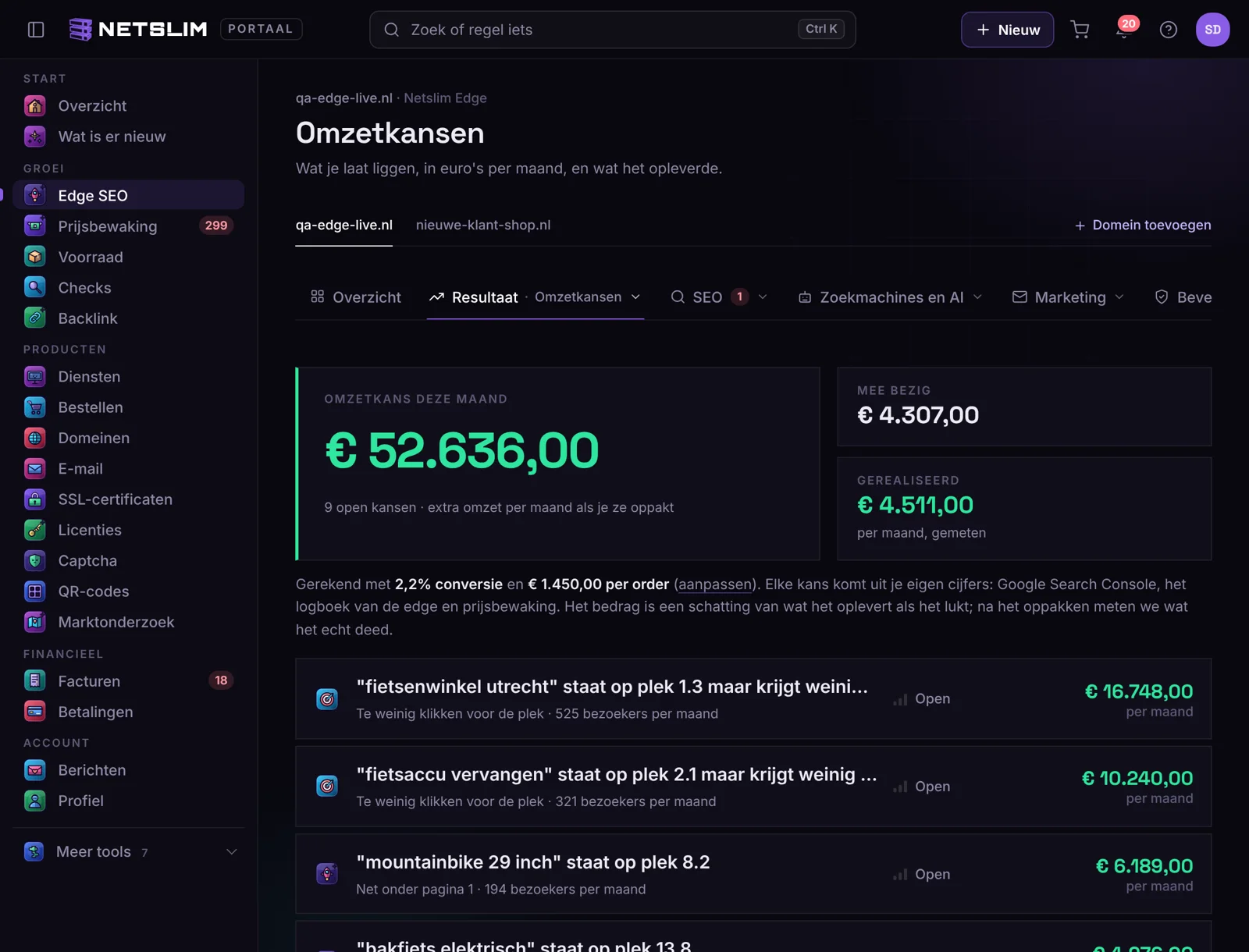
In your account under Edge › Results › Revenue opportunities you see one amount at the top: what your site can earn extra this month if you act on the open opportunities. Below it is each opportunity separately, with the amount, what you need to do and a button to act on it.
Where the opportunities come from
- Just below page 1. Keywords from your Google Search Console at position 8 to 20 with enough impressions. We calculate what it delivers if they reach position 3, using the click rate that is normal there.
- Too few clicks for the position. You are in the top 5, but people click less than normal on that position. A better title and description; with the SEO assistant on, the edge does this itself (Click rate boost).
- Visitors on error pages. Real visitors (not bots) who landed on a 404 in the past 28 days. One redirect on the edge fixes it.
- More expensive than the competitor. With Price Watch: products where a competitor is cheaper, weighted by the number of visitors on that product page.
How the euros are calculated
Extra visitors per month × your conversion × your average order value. You enter conversion and order value yourself under Edge › Results. If you don't, we use 1.5% and € 75 and we state that these are default values. The amount is an estimate of what it delivers if it works out; that is stated too.
Acting on an opportunity
- Click the opportunity. You read what needs to happen and where you do it (the SEO assistant, a redirect, Price Watch).
- Click I'm working on this. We save the situation at that moment: the clicks and position of the keyword, or the number of visitors on the error page.
- Finished? Click Done. From then on you see realized on the opportunity: the extra clicks since you acted on it × your conversion × your order value. Google counts over 28 days, so you see the full effect after a month.
No Search Console connected?
Then you only see the opportunities from the edge log and Price Watch. Connect Google under Results; the keyword opportunities appear within a day.
What is in which plan
Revenue opportunities are in Edge SEO and Enterprise, and in the free trial. With Edge Shield you see the three biggest opportunities with amounts; the rest and the actions are in Edge SEO.