

With Netslim Edge you decide per AI bot whether it can read your site. You can find it in your account under Edge SEO › Search engines and AI › AI bots. It is also part of Edge Shield.
Two types of AI bots
- Search and answers. This lets an AI assistant mention you, quote you and link to you. Examples: OAI-SearchBot and ChatGPT-User (ChatGPT), Claude-SearchBot and Claude-User (Claude), PerplexityBot and Perplexity-User (Perplexity). If you block these, you disappear from those answers.
- Training. Your text can end up in a future version of an AI model. Examples: GPTBot, ClaudeBot, CCBot, Google-Extended. Blocking them does not remove you from AI search. Other bots handle that.
Quick choice
- Allow all: the best way to be found in AI.
- In AI answers, no training: AI assistants can mention you, but your text is not used to train new models.
- Block all: no AI bot from the list. You also disappear from the answers of ChatGPT, Claude and Perplexity.
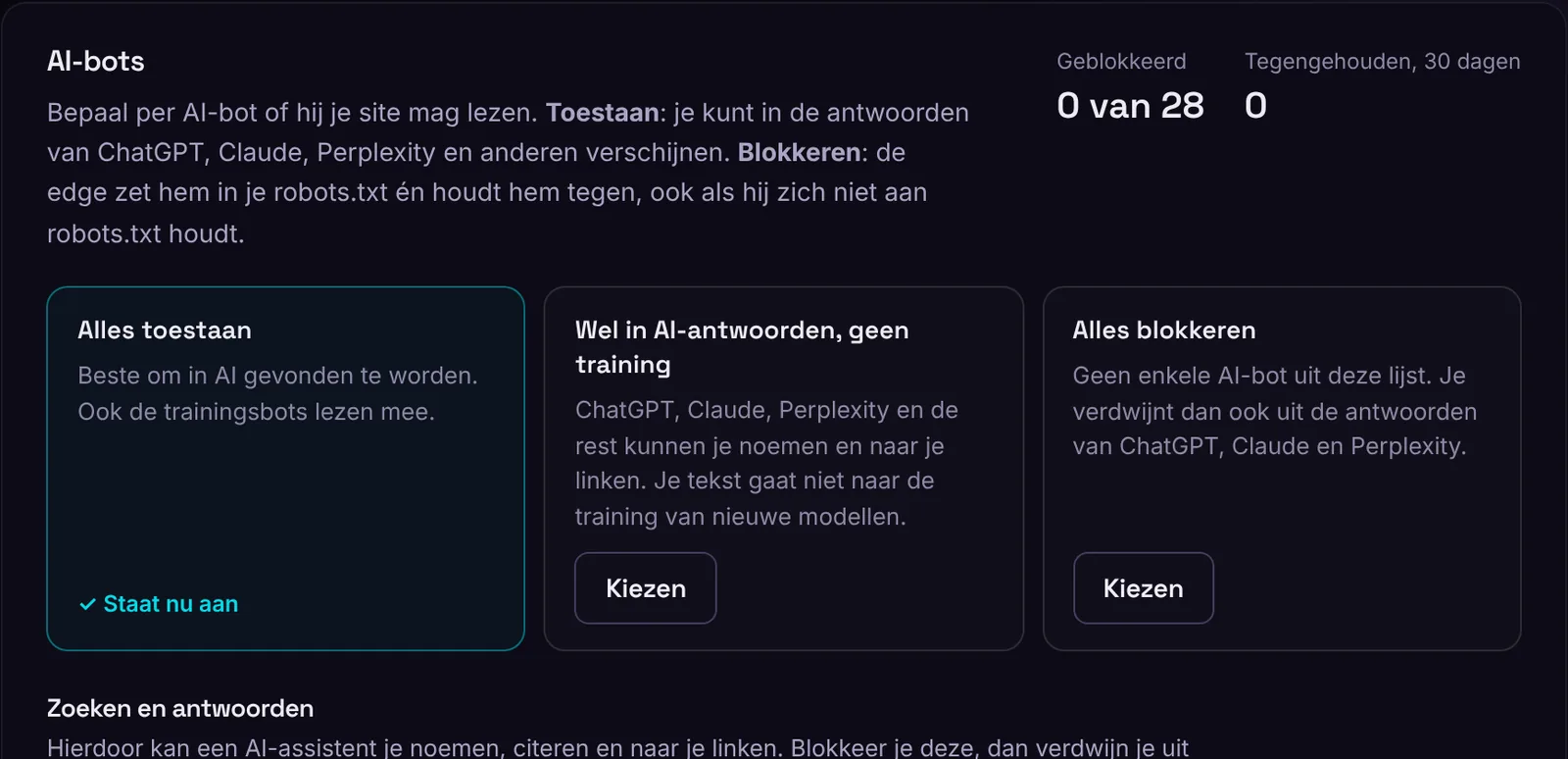
Prefer to choose per bot? Set it to Allow or Block and click Save. The edges pick it up within a minute.
What happens when you block
- The edge adds a rule to your robots.txt (
User-agent: GPTBotwithDisallow: /). If that bot is already in your site's robots.txt, the edge removes those rules, so your own “Allow” does not undo the block. - The edge stops the bot with an error code 403, even if it ignores robots.txt. Some bots that fetch a page live for a user, such as ChatGPT-User and Perplexity-User, sometimes do this.
Google-Extended and Applebot-Extended are not bots that visit your site. They are agreements set through robots.txt. Google and Apple follow them, so the 403 is not needed here.
What we never block
Googlebot, Bingbot and Applebot are not in the list. We never block them, because then you disappear from Google, Bing and Siri. Google also uses the regular Googlebot for AI Overviews, and Copilot searches through Bing. If you do not want Google to use your text for Gemini, choose Google-Extended.
How fast does it work?
The 403 works within a minute. Bots do not read robots.txt on every visit. Most check once a day, and some keep it for a few weeks. Until then, the 403 does the work.
Real or fake?
For OpenAI and Perplexity, we compare every visit with the IP addresses they publish. Visits that pose as their bot but do not come from those addresses count as fake. For Google, Bing and Apple, we check this through DNS. “Block fake bots” is on by default. The edge then stops these fake visits with a 403. You can turn it off at the bottom of AI bots, under Fake bots.
