

Moving to Netslim is free with every hosting plan. Your old site keeps running until the DNS switches, so visitors won't notice anything.
Klant bij Netslim? Log in, dan regel je dit hier met één klik.
Inloggen : automatic with the Netslim Mover
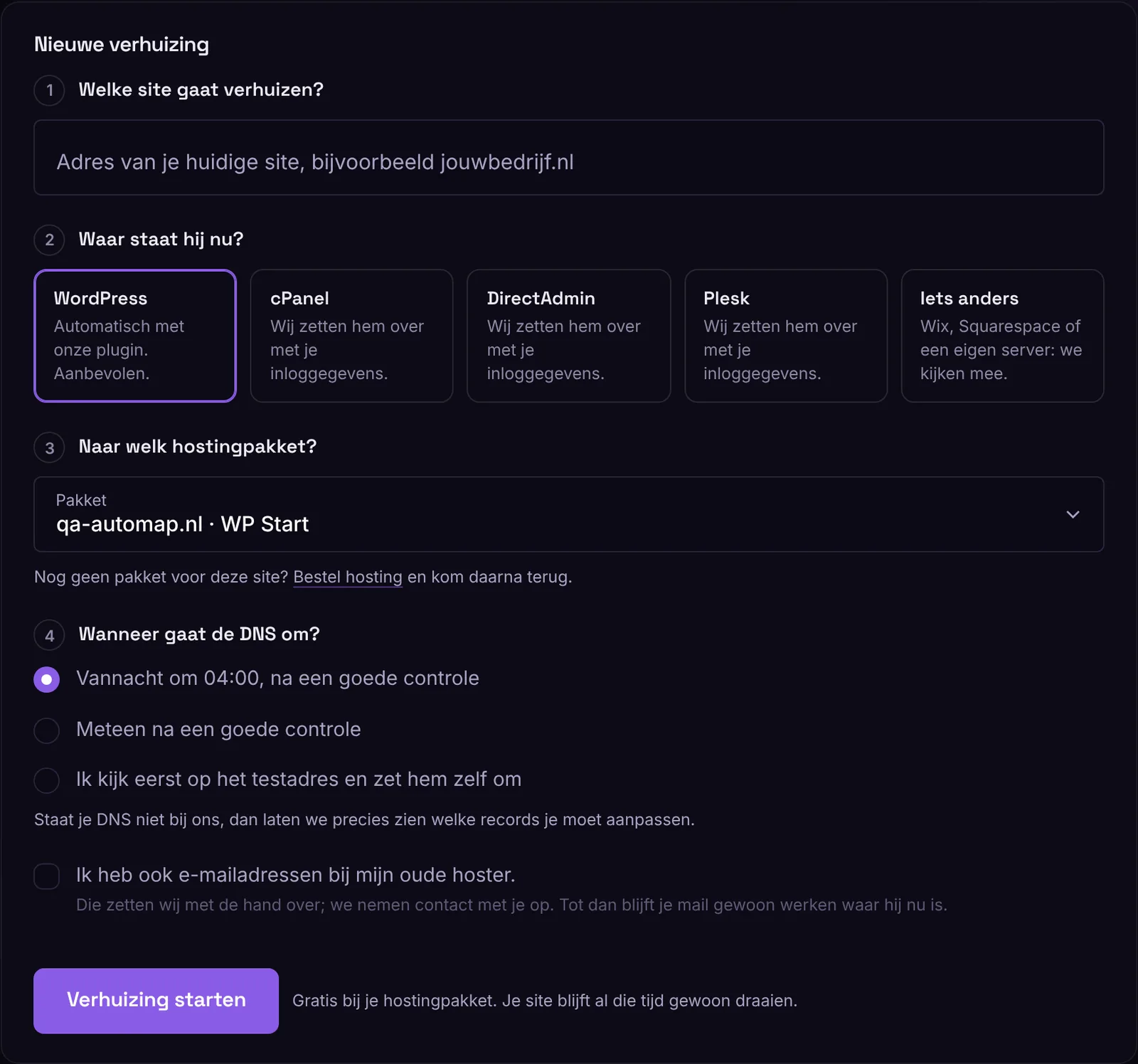
- Go to My account › Migrate, enter the address of your current site, choose WordPress and the hosting plan, and choose when the DNS can switch.
- Download the Netslim Mover. Your key is already in it. Install it on your old site via Plugins › Add new plugin › Upload plugin and click Activate. Is the plugin already there? Then paste the key in Tools › Netslim Mover.
- From then on, everything runs by itself: files and database move to your new plan in parts. In your account you can see every step. You can close the window. You will get an email when your site is ready.
- Check your site on the test address. Click around, log in and compare it with your old site.
- The DNS switches at the time you chose. Just before that, we move over the latest changes from your old site, such as orders, messages and uploads. Keep the plugin active until then.
wp-config.php with your database password is never included. We skip caches and backups. We do carry over your own settings, such as a memory limit or a license code.
Is your DNS not at Netslim?
Then your account shows exactly which records you need to change (A records for your domain and www). Just before you change them, click Transfer latest state. Leave your MX records as they are, unless your email is moving to us too. We see automatically when it is done and will email you.
 , DirectAdmin, Plesk or something else
Choose your old panel and enter your login details. We store them encrypted and delete them as soon as the migration is done. Prefer a temporary password? That is fine. You will hear from us within one working day via Messages. We also do a WordPress multisite or a server without ZipArchive by hand: click Let us do it.
We only move the address of your website. Your email stays where it is. If your email points to your domain itself, we first point mail.yourdomain to your old server, so nothing gets lost. Do you want your mailboxes moved to us too? Tick the box in your migration, and we will move them by hand.
Does something go wrong?
Then the migration stops and you can see why in your account. Nothing has changed on your old site. Click Try again and we will continue where it stopped, or click Let us do it.
After the migration
We request an SSL certificate right away. Only cancel your old hosting when you are sure everything works. Wait a week, and move your email first if it is still there. You can then remove the Netslim Mover from your old site.
