

What is edge computing and what does it mean for your website
Edge computing processes data close to your visitors instead of sending everything to a server far away. Find out when this is really faster and when regular hosting is enough.
 Team Netslim 15 Oct 2026 4 min read

Edge computing sounds like something for big tech companies, but the idea is simple: process your content and logic close to your visitors, not on one server far away. That can make your website faster, but not always. In this article I explain what edge computing really is, when it helps and when you are wasting time thinking about it.
As a business owner, you mainly want your website to load fast and be reliable. Edge computing can help with that, but it is not a miracle cure and it does not have to be complicated.
How does your website normally work?
Without edge computing it works like this: your visitor in Amsterdam types in your domain, and the browser sends a request to your server. That server is in a data center in Amsterdam, for example, or in America, or somewhere else. The server answers: here is your page. The browser shows everything. Done.
This usually takes milliseconds, so it feels fast. But if your visitor is in Australia and your server is in Europe, the distance is greater. The request and the response have to travel further. That takes time.
Your server also works hard. If a thousand visitors load your cart at the same time, that one server has to handle everything. That can get slow.
What is edge computing, exactly?
Edge computing means you place smaller, faster computers in many places around the world. These computers sit literally at the “edge” of the internet, close to your visitors. They do work before it reaches your central server.
A concrete example: your shops all get price updates. Without edge: a visitor in Tokyo asks for a product, the request goes to your server in Europe, which answers, and the answer travels back to Tokyo. With edge: you have a copy of that price data in dozens of places around the world, so the visitor in Tokyo gets the answer right away from nearby.
These edge computers can also do work: check a request, serve cache, convert an image, filter spam. All without bothering your central server.
Serverless computing, briefly explained
You will also see the term “serverless” a lot. It sounds like there is no server, but that is not true. It means you do not have to worry about servers. You write code, and the company where you upload that code makes sure it runs in the right place.
Serverless works well with the edge. You can run serverless functions on edge computers, so your code is close to your visitors. No hassle managing servers, and still a fast response.
For small to medium-sized businesses, serverless is mainly interesting if your traffic fluctuates a lot. Then you pay for what you use, not for a fixed server.
When does edge computing really help?
Edge computing is worth it in these situations:
- You have visitors all over the world. They are in America, Europe, Asia. A server in your home country is far away for some of them. Edge computers can be expanded faster.
- You serve real-time data. Prices, stock levels, live updates from sports services. This data has to be reached extremely fast, again and again.
- You have a lot of traffic at peak hours. Black Friday, a viral article. Your central server would get overloaded. Edge computers take over some of the work.
- You need to convert a lot of data. Scaling images for mobile, transcoding videos, generating PDFs. Close to the visitor, this is faster than sending everything back to your server.
- You want to adapt content by country, language or device. A customer in Belgium sees different taxes than someone in the Netherlands. Edge computers can make that choice without your server.
When does it not really help?
Honestly, not everyone needs edge computing. If you run a small business with mostly local customers in the Netherlands, it won't help you much. It adds complexity without much benefit.
It also doesn't help if your content almost never changes. A blog, a portfolio, a few informational pages: you load them once, and they don't change daily. Regular web hosting with good caching is enough.
And if your traffic is low, you will barely notice a difference. A handful of daily visitors won't feel edge computing.
Good hosting versus edge computing
This is the most important question: what do you need first?
A good hosting provider already helps a lot. Modern hosts offer:
- Fast hardware (SSD, NVMe instead of old disks)
- Automatic caching (faster responses to requests)
- CDN (Content Delivery Network: your images and scripts in many places around the world)
- Good DDoS protection
- Daily backups
This package solves many problems. Your website feels fast. For most businesses, this is enough.
Edge computing is the next step. You use it when good hosting is no longer enough because you work globally and have real-time data. Or you are so big that you can set up your own edge network.
How do you get started?
Step one: test your website speed. Use the free website check to see where it slows down. Is it your hosting? The images? Third-party scripts?
Step two: make sure your hosting is in order. Turn on caching, optimise images, remove useless plugins. This costs little and helps a lot.
Step three: if you work worldwide and have real-time updates, look into edge computing. For many business owners, this is not needed yet.
Many companies notice it quickly: they upgrade their hosting, their site gets faster, and that's it. They don't need the edge.
Frequently asked questions
Is edge computing different from a CDN?
A CDN (Content Delivery Network) mainly copies static files such as images and JavaScript to many servers around the world. Edge computing goes further: it also runs logic, such as checking, converting and personalising. A CDN is simpler and cheaper, edge computing is more powerful but also more complex.
Do I need to code for edge computing?
No. Many edge services work without code: you set rules (for example: scale images, serve cache, block). But if you want more control, you can write code. This depends on your provider.
Is edge computing expensive?
That varies. Many providers offer the edge as a paid option on top of hosting. Some big tech companies charge per request. For small businesses, it usually doesn't pay off. For businesses with a lot of traffic, it can be cheaper than a larger central server.
Can I combine edge computing with regular hosting?
Yes, that is the idea. Edge services usually work as a layer in front of your existing hosting. You point your DNS to them, the edge computers do the work, and the rest goes to your server. You don't need to change anything on your server itself.
Read also
All blogs →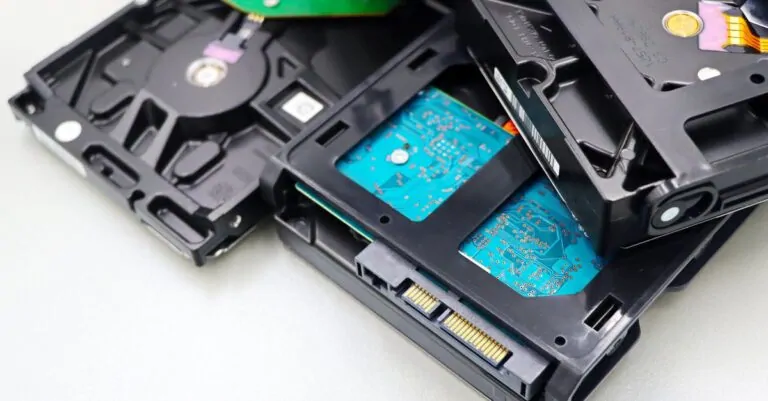
Hosting6 min read
Backing up your website: how often and where to store it
Making a backup is not just saving a file somewhere. You need to store your database and files separately, update them regularly and, above all, keep them somewhere other than your server.

Domain names6 min read
Domain name already taken? How to get it anyway
Your favorite domain name is already taken. Here is how to find out why, how to make an offer and when you are better off choosing a smart variant or another extension.

SEO & visibility5 min read
SEO for small businesses: a checklist to get found locally
Want to rank higher in Google without a big budget? With a Google Business Profile, good titles and a fast website, a small business can get far. Here is your step-by-step checklist.
