

The SEO assistant writes titles, meta descriptions and H1s, redirects broken links to the best matching page and keeps you updated every day. It is off by default. You decide what it can do.
Connect
- Create an API key at Claude (Anthropic), OpenAI, Google Gemini or Mistral. Do you have your own language model (for example via vLLM or Ollama)? Then enter the API address and the model name.
- Go to My account › Edge SEO › SEO assistant › Settings.
- Choose the AI, paste your key and click Save. With Test connection you can see right away whether it works.
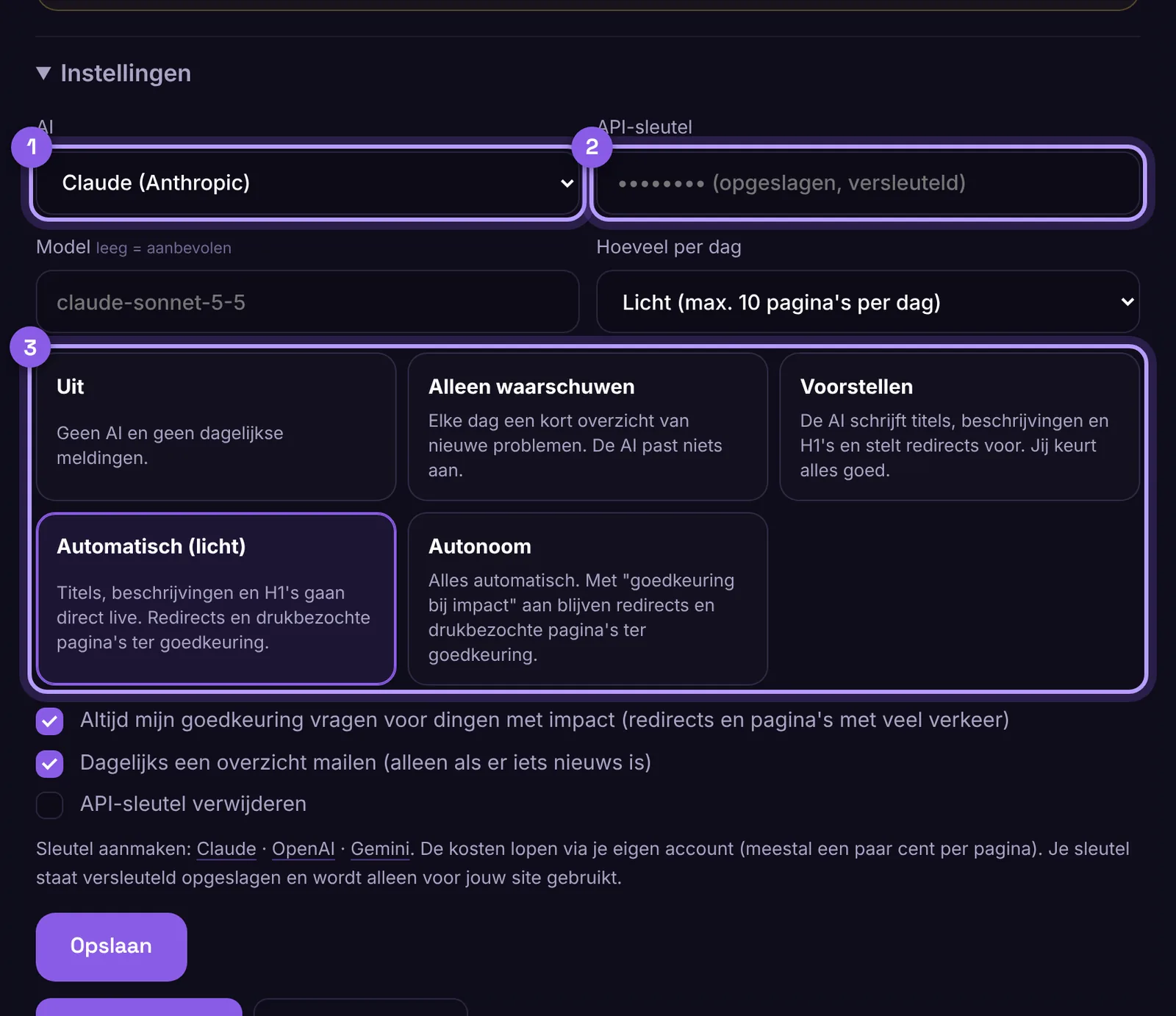
The costs go through your own account with the AI service, usually a few cents per page. Your key is stored encrypted.
How much can it do on its own?
- Warn only: a daily overview of new problems, the AI changes nothing.
- Suggestions: the AI writes, you approve or reject.
- Automatic (light): titles, descriptions and H1s go live straight away, redirects and busy pages need your approval.
- Autonomous: everything automatic, within your limits.
With Approval for impact on (default), redirects and pages with a lot of traffic always wait for your approval.
How many per day?
Choose Light (10 pages per day), Normal (50), Intensive (250) or a number of your own, up to 100,000 per day. For large numbers, the AI works in parallel.
Everything at once
With Improve pages the AI handles every page with an issue in one round. The button shows how many pages that is. When everything is done, you see All improved, and for each change you can see whether the edge has already checked it live. First you see 20 examples. If you approve them, it does the rest. Review now runs a small round of up to 25 pages. You don't need to import anything for this: the AI works with the pages the edge already knows.
Redirects for broken pages
Choose Off, Suggestions or Automatic redirects. The AI only redirects automatically when it is very sure about the new page, and it checks every night that the target still works.
No AI dashes
Turn on No dashes if you don't want texts to contain that typical AI dash. The AI then uses a comma or a new sentence.
Approve and roll back
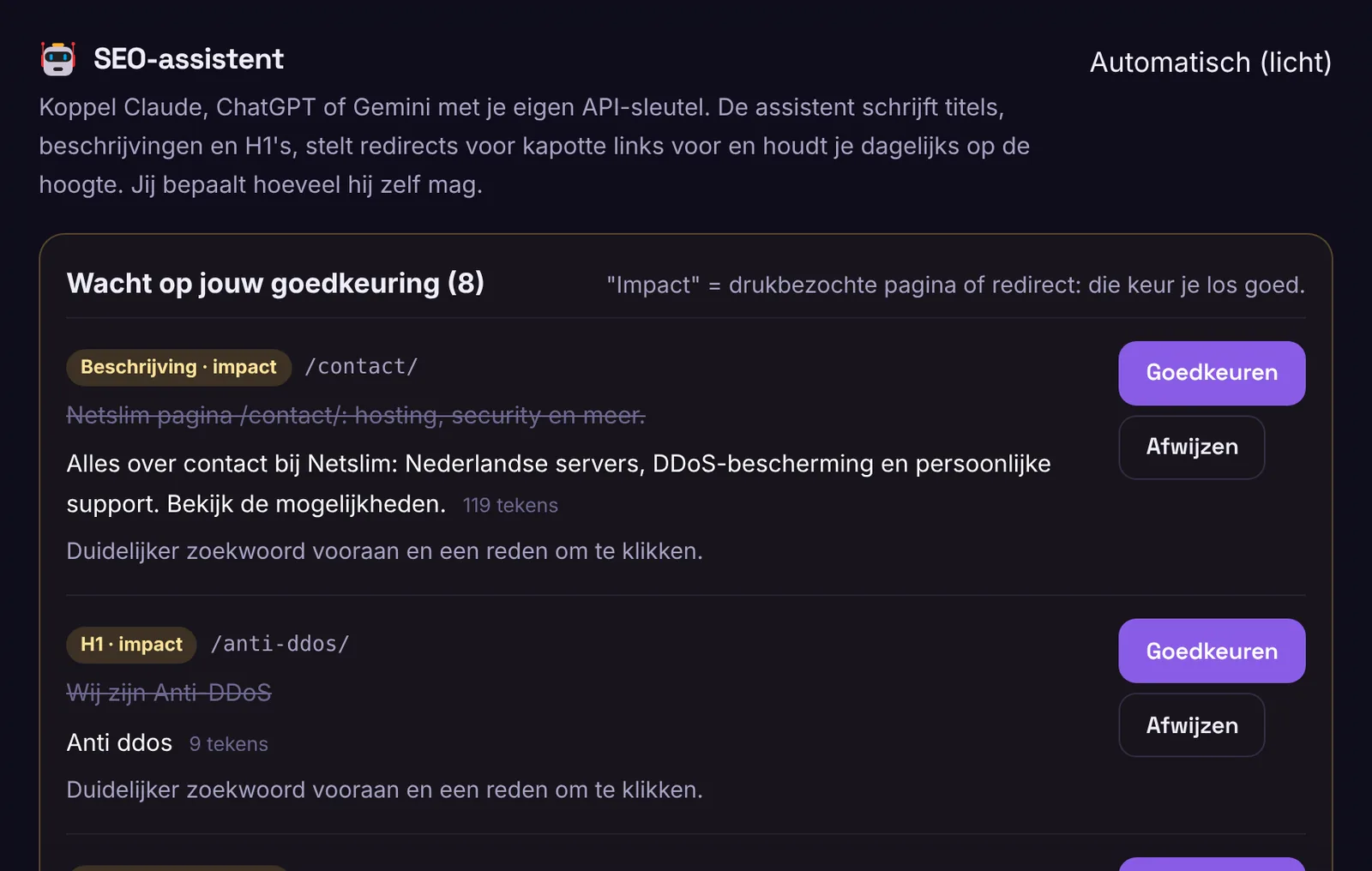
Proposals appear at the top under Waiting for your approval. You see the old and the new text, and why. Under Latest changes you can undo everything with one click.
What does the AI get to see?
Only the public text and the address of the page. No data from your visitors or customers.
