

Creating a reverse-charge VAT invoice: what to include
With reverse-charge VAT, the buyer accounts for the tax. We explain what must be on the invoice and how to do it right.
 Team Netslim 14 Oct 2026 5 min read
Reverse charge VAT means that you, as the seller, do not charge VAT on your invoice. Instead, the buyer pays it to the tax authority later. It sounds simple, but many business owners do not know exactly what must be on the invoice to handle it correctly. A mistake here can cost you a lot of money: fines from the tax authority, recovery of VAT, or even a risk of VAT fraud.
In this article you will read what reverse charge VAT is, when you use it, and which details must not be missing from your invoice. After that, you can apply it correctly right away.
When to use reverse charge VAT
Reverse charge VAT applies to certain types of transactions between businesses. As a seller, you use it in these situations:
- You sell services to a business in another EU country. For example, you are a web designer and build a site for a Belgian company. That company reports the VAT later in Belgium.
- You sell certain goods to a business abroad, such as construction timber or metal for reuse.
- You sell services to a business outside the EU. Usually, 0% VAT applies there in advance.
- You offer services in certain sectors (telecommunications, electronic services, transport) to businesses in the EU.
Short rule: reverse charge VAT is for business-to-business (B2B), not for private individuals. A private customer in another country cannot use reverse charge VAT.
The mandatory details on your invoice
A reverse charge VAT invoice must contain all the usual invoice details, plus a few extras. These are the mandatory details:
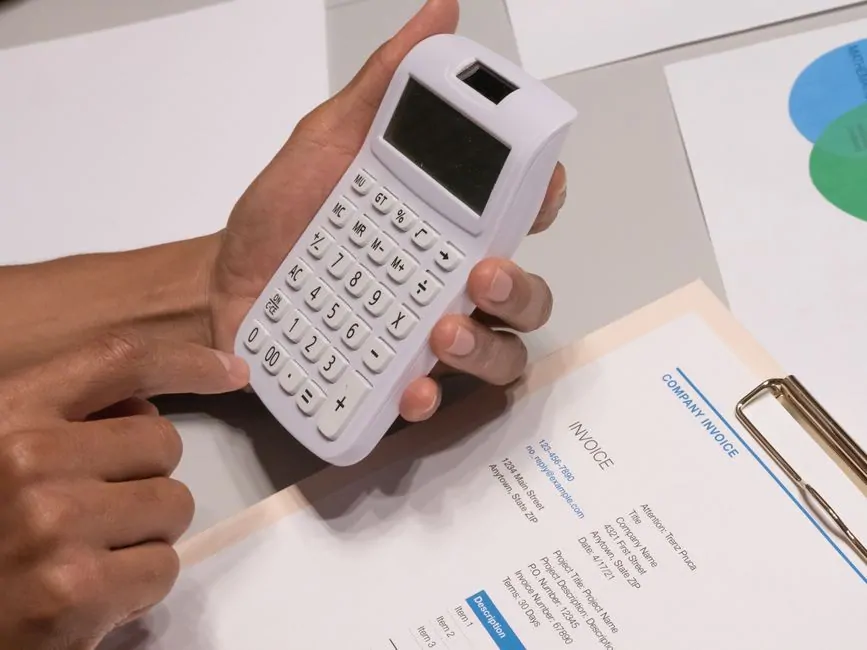
- Your business details (name, address, VAT number)
- The buyer's details (name, address, VAT number)
- An invoice number and invoice date
- A clear description of the services or goods supplied
- The amount excluding VAT (net)
- A clear statement that VAT reverse charge applies
- The buyer's VAT number must be complete and correct
Note: you can't just name both companies' VAT numbers without checking them. The buyer's VAT number is required, and it must be valid. If you don't know it, check it. A wrong VAT number can mean your claim is not valid.
How to write VAT reverse charge on your invoice
At the time of the transaction, you add a line to your invoice that makes clear what is going on. Here are a few examples:
VAT reverse charge (article 44 Directive 2006/112/EC). Tax payable by the customer.
Or shorter:
Reverse charge applicable. VAT will be accounted for by the supplier.
You can write this in Dutch or English, as long as it is clear. The point is that both you and the buyer know exactly: no VAT has been charged on this invoice, but the buyer pays it later through their own VAT return.
Many business owners also add: “The customer must report this supply in their VAT return.” Or even more directly:
This is a reverse charge invoice (VAT reverse charged). You are responsible for reporting this purchase in your VAT return.
Check the VAT number
This is not optional: you must check your customer's VAT number before you send the invoice. An invalid VAT number can mean the whole transaction is not reverse charged, and that you have to pay the VAT yourself.
How do you check it? You can check the VAT number on the website of your own tax authority. In the Netherlands, that is the VIES database (VAT Information Exchange System). You enter the foreign VAT number, and the system tells you whether it is valid. Many accounting software packages do this automatically.
Stick to this rule: no valid VAT number, no reverse charge, and you pay the VAT yourself.
What must not appear on a reverse charge invoice
These are the most common mistakes:
- Charging VAT and removing it later. The tax authority sees this right away and it leads to questions.
- Using VAT numbers of private individuals (they don't have VAT numbers).
- Using reverse-charge VAT for private customers. This is possible, but then your bookkeeping won't add up.
- Leaving out any mention on the invoice. The tax authority then can't see that reverse-charge VAT applies.
- Not checking your customer's VAT number and finding out later that it is wrong.
How to do this in practice
It's best to create a standard text for reverse-charge VAT invoices. Copy it to the same place every time, so you and your buyer don't miss it. Many programs already have this built in for electronic invoices (which more and more businesses are required to use).
A concrete workflow:
- You receive a quote request from a company in the EU or outside it.
- You ask for their VAT number (or look it up on their website).
- You check it in the VIES database or your own tax authority's system.
- You write your quote with the same VAT number, so you can also find it again on the invoice.
- After approval, enter the order in your system as “VAT reverse charged”.
- The invoice is generated automatically without VAT, with the note “VAT reverse charged”.
- You send the invoice and keep it safe.
Many business owners use their accounting software for this, but simple tools like Excel can also be enough. Make sure you keep everything consistent. Later, you must be able to prove to the tax authorities that you did everything correctly.
Registration and returns
VAT reverse charged invoices must be in your register. In the Netherlands, you keep a purchase register and a sales register. For VAT reverse charged, go to the sales register and note:
- Invoice number and date
- Name and VAT number of the buyer
- The net amount (excl. VAT)
- The text “VAT reverse charged” or “reverse charge”
In your annual VAT return, you list these transactions separately. You have not collected any VAT (because you charged zero VAT), so you should not report it as VAT income. The tax authority can see this, and it is correct.
A free way to do this properly
Netslim offers free invoice creation, including with VAT reverse charged. There you can select the “VAT reverse charged” or “KOR” field directly, and the software adds the correct text automatically. You enter your customer's VAT number, and the system checks right away whether it is valid. This helps you avoid most errors straight away.
What you do now: you ask your customers for their VAT number, check it, and create your invoice. Make sure that text appears on every invoice. That is already the biggest part of the work done correctly.
Frequently asked questions
What is the difference between VAT reverse charge and normal VAT?
With normal VAT, the seller charges VAT and pays it to the tax authority. With reverse charge VAT, the seller charges zero VAT, and the buyer (the business) accounts for it later in their own country. Reverse charge only applies to B2B transactions.
Can I use reverse charge VAT for customers outside the EU?
Yes, but for businesses outside the EU, reverse charge usually works differently. Often 0% VAT applies directly, because it is an export. You do need to add a note that it is outside the EU. Check the rules for the specific country.
What happens if my customer's VAT number is wrong?
If you don't check the VAT number and it turns out to be wrong, you can be held liable for the VAT yourself. You then have to pay it yourself, even though you didn't receive it from your customer. Always check in the VIES database first.
Do I need a special invoice template if I use reverse charge VAT?
No, you don't need a special template. You just add one line to your normal invoice: 'Btw verlegd' or 'Reverse charge applicable'. The rest stays the same, just without VAT calculation.
Read also
All blogs →
SEO for small businesses: a checklist to get found locally
Want to rank higher in Google without a big budget? With a Google Business Profile, good titles and a fast website, a small business can get far. Here is your step-by-step checklist.
Backing up your website: how often and where to store it
Making a backup is not just saving a file somewhere. You need to store your database and files separately, update them regularly and, above all, keep them somewhere other than your server.

Make your WordPress website faster: 8 fixes
A slow WordPress site frustrates visitors and costs you your ranking in Google. We measure first, then you fix the biggest problems without a developer.
